 Goodbye Five
1. Upload one photo
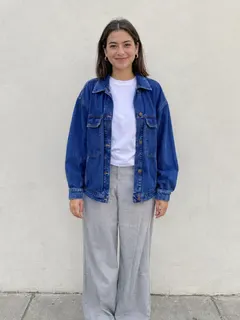
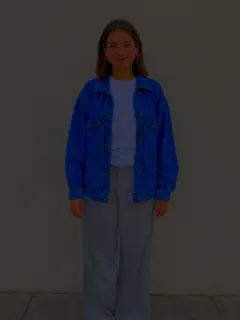
One person, head to shoes, facing the camera, in good light. Your own photo, or a friend who agreed to it.
Tutorial
The goodbye GTA 5 video is a short farewell on a sunset pier. Here is what happens in it, and how to take the young guy's place without an app or any editing.
Updated
With GTA 6 out, TikTok said goodbye to GTA 5 with one scene: three older friends meet a young guy on a pier at sunset, hand him a game case and the keys to a two-tone sports car, grip his shoulder, and he cries before driving away.
Most versions keep the three friends and swap in the creator as the young guy. Goodbye Five does exactly that from one photo: your face, your hair and your outfit in all five shots, with the original sound.
One person, head to shoes, facing the camera, in good light. Your own photo, or a friend who agreed to it.
A still of you in the crying close-up. No sign-up and no payment, so you can try another photo if it is off.
Sign in and pay once ($9.90 for one video). It renders in the background; we email you when the 31-second MP4 is ready.
He becomes you in the hand-off, the keys, the shoulder grip, the tears and the drive away.
The three friends, the car, the pier, the camera and the timing stay as in the trend, so it reads instantly on TikTok.
The original sound runs under the whole video. Check the platform's audio rules when you post.
Watch the whole video before you share it. AI results vary from photo to photo; the free preview is the quickest way to pick a photo that works.
Videos stay private in your account for 30 days. Download the MP4 to keep it, or delete it whenever you like.
Upload one photo here and see the free preview. The full video is 31 seconds with the original sound, no subscription.
Add your photo


See a free preview before you pay · no sign-up
No. Everything runs in your browser; you only upload a photo.
Yes. Whoever is in the photo takes the young guy's place, with their own face, hair and clothes.
Usually a few minutes. You can close the page; we email you when it is done.
The credits reserved for it come back to your account automatically.
goodbyegta5.video is an independent fan tool, not affiliated with Rockstar Games or Take-Two Interactive. Every video is AI-generated from a photo its uploader is allowed to use.